SMS fraud is any scam run over text message. Smishing, which is phishing delivered by text (you’ll also see it written SMS phishing or SMiShing), is the version that goes after your staff’s passwords, one-time codes and wallets. It works because the text lands on a phone that your email security never sees. The fixes aren’t exotic: a call-back rule, sign-in methods that can’t be talked out of your people, managed work phones, and a human being to forward odd texts to. We’ve spent thirty years keeping Metro Atlanta offices running, and this is how we’d set it up for yours.
SMS Fraud in Plain Terms: What It Is and Why Texts Get Through
Smishing uses the same lures as the phishing emails you already know: a fake login page, a fake invoice, a fake boss in a hurry. The only change is the delivery truck. Fraud texts are crimes, not the consent-governed marketing texts most people mean by “spam.” Regulators write detailed rules for commercial messaging, such as India’s TRAI, and in the U.S. marketing texts need consent too. A scammer ignores all of that, which is why a “just reply STOP” mindset doesn’t fit here.
One term to set aside so you don’t chase the wrong problem: SMS pumping. That’s a scheme where criminals trigger floods of texts, often verification codes, to numbers they control so they can skim carrier fees from the company that sends them. It’s a billing headache for businesses that run their own texting apps. It isn’t the thing hitting your receptionist’s phone.
Why Text Messages Slip Past Email Filters
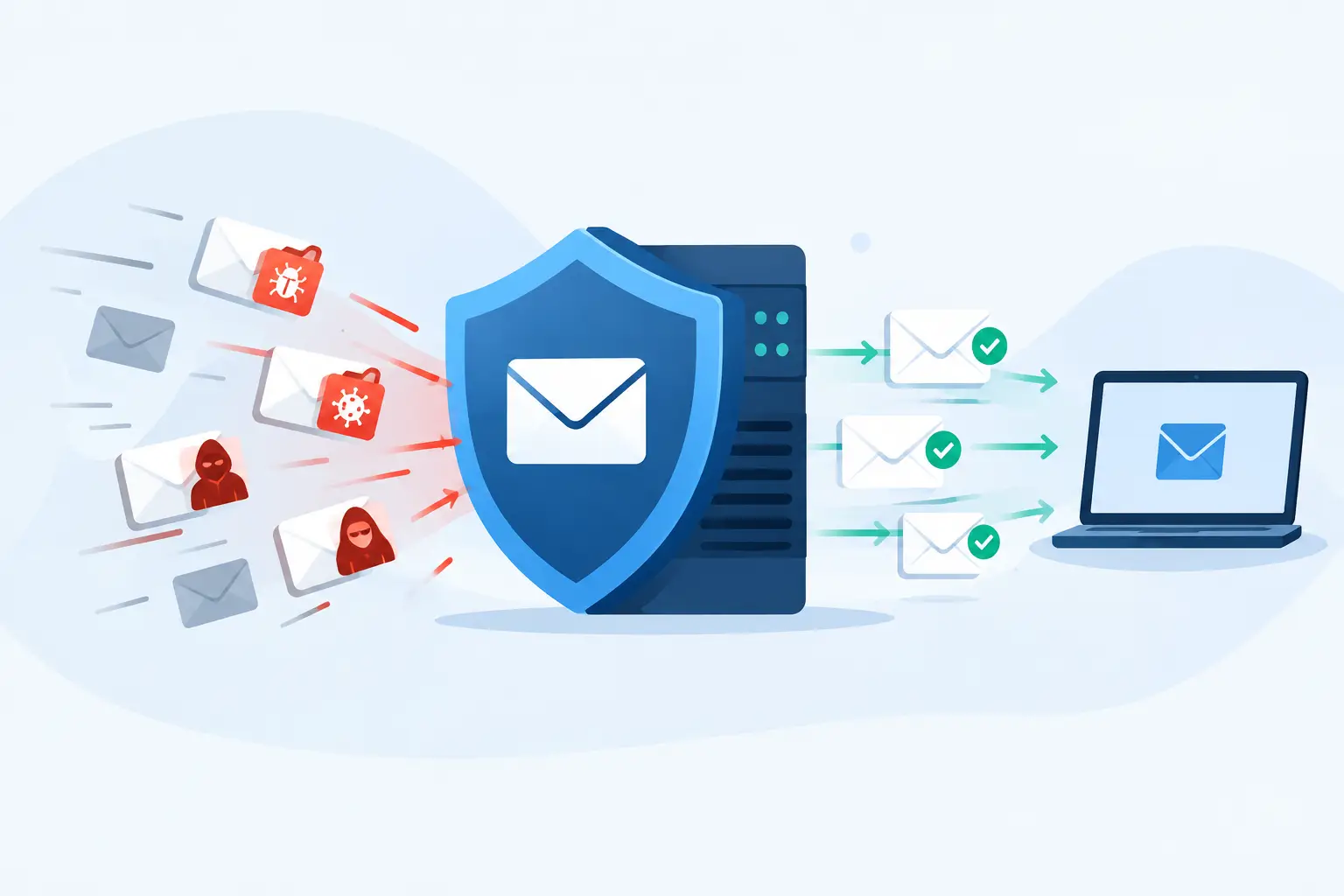
You pay for an email gateway, spam filtering and endpoint protection on every laptop. None of that touches a text. The phone sits outside the stack, so the message arrives with no scanning, no quarantine and no warning banner.
Three things make it worse. Sender names can be spoofed, so a text showing a trusted name proves nothing by itself, and confirmation has to come through a channel the sender didn’t supply. Shortened links hide the real destination, and on a four-inch screen you can’t hover to check one. And people read texts differently than email: fast, one-handed, often in a parking lot.
How Text-Message Fraud Targets Your Staff
Scammers pick the lure by what they need: money, a reply, a login or a code. Small organizations see the same handful over and over, and none of them needs a clever exploit. They need one distracted person on one ordinary Tuesday.
Fake Text Messages From the CEO, Owner, Partner, or Pastor
The classic is a text from an unfamiliar number that says it’s the owner, a partner or the senior pastor. It’s usually short: “Are you at your desk? I need a favor, can’t talk.” The favor is gift cards, and the scammer wants photos of the codes on the back.
Staff names and titles are easy to find on a website, a church bulletin or a firm’s “Our Attorneys” page. That’s all the research the criminal does. Clinics, law firms, churches and nonprofits get hit because everyone there is trained to be helpful to leadership.
It often doesn’t stop at gift cards. Once someone answers, the same fake “boss” asks for a wire, a change to vendor bank details, or a quick look at an invoice. That’s business email compromise by text, and it’s the same fraud as the email version with fewer fingerprints.
Payroll, Patient-Portal, Courier, and Code-Theft Texts
Other lures chase a login. A “payroll update” text says direct deposit details need confirming. A “patient portal” text says a message is waiting. A courier or toll notice says a package is held or a balance is overdue, and it lands on work phones as readily as personal ones. Each links to a page built to capture a username and password.
Code theft is the sneakiest. The scammer already has a password and needs the six-digit code your system just texted. So a second message arrives, “this is a security check, please read me the code,” or the fake login page asks for it and relays it in real time.
Does replying let a scammer in? Mostly no. A reply confirms the number is live and invites more messages, which is annoying but rarely costly. The real damage comes from a tap on a link, a password typed into a lookalike page, or a code read back.
An SMS Fraud Example from a Metro Atlanta Church Office
What follows is a composite, built from patterns we see, with no real names and no dollar figures. Picture a church office in Decatur on a Thursday morning. The administrator’s phone buzzes with a text from an unsaved number, but the display name reads as the senior pastor. It says he’s in meetings, needs gift cards for a family in crisis, and will explain later.
She wants to help, so she buys the cards and sends the codes. A second text asks her to confirm it’s really her by reading back a verification code that “was just sent.” She does. That code was the church email system’s sign-in code, and the criminal was typing her password on a fake page at that very moment.
Days later a technician reviewing the account finds a sign-in from a device nobody on staff owns, plus a forwarding rule quietly copying the inbox elsewhere. Cleanup takes work: password resets, session revokes, a check of what was read.
One call would have ended it all. The pastor’s number sits in the staff directory, and the administrator had it. Thirty seconds on that line, instead of the number in the text, and the scam dies at the first message. Budgets at small congregations are tight, and we’ve written about IT support for churches and nonprofits sized for exactly that reality.
SMS Fraud Prevention: Phishing-Resistant MFA and Device Management
Two controls do most of the work here. One makes a stolen password or code useless, and the other makes sure the phones in your office are ones you actually know about. Neither will stop a text from arriving, and no tool will. What they do is shrink what a single bad tap can cost you.
Stopping MFA Code Theft Texts With Phishing-Resistant Sign-In
Texted codes were a decent upgrade once. Today they can be relayed through a live fake login page, and they can be lost entirely to SIM swapping, where a criminal convinces a carrier to move your number to their SIM. Tap-to-approve prompts have their own flaw: attackers fire them off repeatedly until a tired person hits “approve.”
Phishing-resistant sign-in solves this because the login is tied to the real website. Hardware security keys, passkeys and certificate-based login simply won’t work on a lookalike page, so there’s nothing for a person to hand over. That’s the center of real text message phishing protection.
Start where a breach hurts most: email, banking, payroll, and your practice-management or case-management system. Retire the approve-prompt and texted-code options on those once the stronger method is in place. Keep SMS codes only for low-risk accounts where nothing better is offered.
Mobile Device Security for Small-Business Work Phones
Mobile device security for small business doesn’t need an enterprise price tag. The first step is dull and essential: a phone inventory. You can’t protect a device you don’t know opens your email.
After that, the basics we put on managed phones are:
- A real passcode and automatic updates.
- Remote lock and wipe, so a lost phone is an inconvenience instead of an incident.
- App rules that block sideloading from outside the official stores.
- A separate work container on personal phones, so the office’s data lives apart from the family photos and we manage only the container.
If you want a hand putting this in place, we cover it alongside the rest of our security work, with no padded package you won’t use. If staff never use phones for work email or files, much of this shrinks, which is worth knowing before you spend anything.
Smishing Awareness Training and a Call-Back Rule Staff Will Follow
Training alone won’t save you, because a convincing text beats a good employee on a bad day. A rule that takes the decision out of the moment will. So we start with a call-back policy that fits on one page.
The owner, managing partner or pastor signs it, which matters, because staff need to know that leadership will never be offended by a verification call. It says that any request involving money, gift cards, bank details, payroll, passwords or codes gets verified by calling a number from the staff directory, never the number in the text. It also says nobody reads a code aloud to anyone, for any reason, ever.
That second rule handles code theft in one line. A real system never needs a human to say its code out loud.
Training That Sticks Without Scare Tactics
Skip the hour-long annual video, and skip anything titled “security awareness synergy.” Keep training short and specific. Once a month, take ten minutes to walk through a real text your office received, point out the tells, and say what the right move was.
Set up a no-blame forwarding channel, even if it’s just a shared inbox or a number to text. People who fear embarrassment hide their clicks, and a hidden click is the expensive kind. When someone reports a suspicious text, thank them in front of the team. You’re building a habit of sending things in, and the speed of that habit is what protects you.
After a Click: Containment, Reporting, and Legal Duties
Someone tapped. It happens in the best offices, and the first hour decides how bad it gets. Stay calm and move in order.
The First Hour: Containment Steps and How to Report SMS Fraud
Stop right there: don’t reply and don’t type anything else into the page. Then work through this sequence:
- Reset the password from a clean device, not the phone that got the text.
- Revoke active sessions and re-enroll MFA.
- Check sign-in logs, inbox rules and forwarding settings for anything new.
- Clean any unfamiliar apps off the phone.
- Preserve the message with a screenshot before deleting anything.
If the phone suddenly loses service, call the carrier immediately. That can mean a SIM swap in progress, and minutes matter.
Then report it. Forward the text to 7726 (SPAM), which reaches the carrier’s spam channel. File with the FTC at ReportFraud.ftc.gov and with the FBI’s Internet Crime Complaint Center. If money moved, call the bank first, because speed is the only thing that sometimes lets a transfer be pulled back.
SMS Scam HIPAA Risk for Healthcare Practices and Law Firms
If the phone opens email, the EHR or client files, a compromised phone can expose protected health information or confidential client data. That’s where an SMS scam HIPAA risk becomes real. Under HHS’s breach notification rule, an impermissible use or disclosure of PHI is presumed to be a breach unless the practice demonstrates, through a documented risk assessment, a low probability that the PHI was compromised.
That assessment looks at the nature of the PHI involved, who had access, whether it was actually viewed or acquired, and how much the risk was reduced. So the timeline, the sign-in logs and your written assessment decide whether notice is required, not anyone’s gut feeling. If a managed IT vendor has access to systems holding PHI, it needs a business associate agreement; we explain what HIPAA-compliant IT support actually covers for exactly this reason, and there’s more on what cybersecurity looks like for a medical practice beyond a checklist.
Law firms carry a parallel duty. Lawyers must make reasonable efforts to protect client information (ABA Model Rule 1.6(c) is the common reference), and a phone with unlocked access to client files tests that standard. We’ve written about IT support built around Atlanta law firms if you want the practical side. This isn’t legal advice, so bring your counsel in early.
The glue for both is a one-page incident response plan that names who decides: who calls the carrier, who pulls the logs, who talks to counsel, and who makes the notice call. Write it before you need it, because nobody drafts a good plan at 4:45 on a Friday.
What a Technician Does When Someone Forwards a Suspicious Text
Here’s how it goes on our end, because it’s how this team already works. A staff member forwards a text, and a technician who knows your setup picks it up.
First, they ask what happened. Did you tap, reply, type anything or approve a prompt? The answer sets the urgency, so we ask plainly and without judgment.
Next, they check the sender and the link without opening either on a production machine. Then they review recent sign-ins, inbox rules and forwarding for your account. If the text is junk, they block the sender on company phones. If it asks for money, they verify by calling a known number from your directory, never the one in the message.
Finally, they thank the person who forwarded it, and they tell them what happens next, whether that’s “all clear, nothing was touched” or “we’re resetting your password now, here’s what to expect.”
None of that needs a ticket queue or an overseas desk. It needs someone who picks up, which is why we still answer the phone.
If you’d like to talk through your work phones, your MFA method and your call-back rules, call the office and you’ll reach a technician who knows your setup. We’ll tell you plainly what you need and what you don’t. You can see how we approach it on our cybersecurity and compliance services page.
Frequently asked questions
What’s the difference between smishing and phishing?
Phishing is the umbrella term for tricking someone into giving up logins, money or data. Smishing is phishing delivered by text message. The lures are the same, but a text skips your email filters, so it relies on your people and your phone controls instead.
Is SMS spam illegal?
Marketing texts are legal when the sender follows consent rules, and unwanted ones may break those rules. Fraud texts are different: they’re crimes, whatever consent rules say. Report them to your carrier at 7726, the FTC and the FBI’s Internet Crime Complaint Center.
Do we have to put work controls on staff members’ personal phones?
You don’t need to manage the whole phone. A separate work container keeps email and files apart from personal apps, and your IT provider manages only that container. If you can lock, wipe and update the work side, you’ve covered what matters.
Does an ignored suspicious text create a HIPAA problem?
A text nobody tapped, answered or acted on generally doesn’t involve any use or disclosure of PHI, so there’s nothing to assess. Forward it, report it and move on. If someone clicked or typed anything on a phone that touches PHI, document a risk assessment right away.