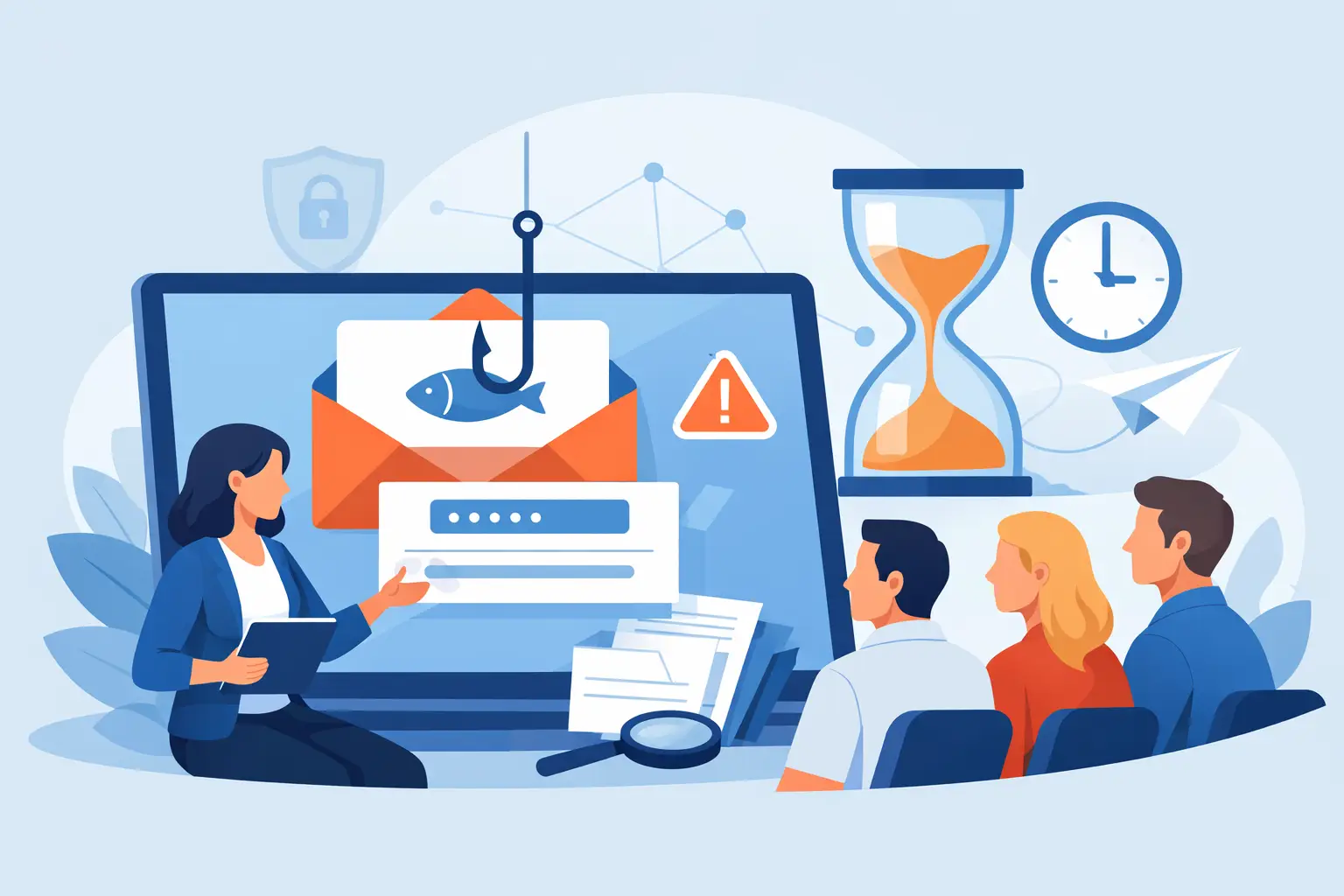
A convincing phishing email does not arrive labeled as a test. It looks like a shared document from a client, a voicemail notification, a password-expiration alert, or a message from the executive director asking for a quick favor. That is why organizations need to train staff on phishing in a way that fits real work, rather than making people sit through a forgettable annual slideshow.
For a law firm, a bad click can expose confidential client records. For a healthcare-adjacent practice, it can become a HIPAA problem. For a nonprofit or congregation, it can drain a bank account or lock up the systems people depend on. The technical controls matter, but people still make the final decision to open, enter credentials, approve a payment, or report something suspicious.
Why phishing training fails in otherwise capable teams
Most employees are not careless. They are busy. They are processing invoices, responding to patients, coordinating events, preparing filings, and trying to clear an inbox before the next meeting. Attackers design messages around that pressure.
Training fails when it treats phishing as a memory test. Telling people to “look for bad grammar” is not enough. Criminals use polished language, compromised legitimate accounts, familiar vendor names, and messages tailored to a person’s role. A better program teaches staff to pause when a message creates urgency, requests sensitive information, changes payment instructions, or asks them to bypass a normal process.
It also fails when leaders make reporting feel risky. If an employee thinks reporting a questionable email will bring embarrassment or criticism, they may ignore it. That gives an attacker more time and can turn one bad message into an account takeover or fraud event.
Train staff on phishing around the decisions they make
The most useful training is role-aware and brief. A receptionist needs different examples from a bookkeeper. A practice administrator may receive fake software notices and insurance documents. Finance staff need to recognize vendor-payment fraud and fake approval requests. Attorneys and paralegals may face messages that imitate clients, courts, secure-file portals, or opposing counsel.
Start by identifying the email decisions that carry the most risk in your organization. Review the kinds of messages employees receive, the systems they access, and the actions that can move money or expose data. Then build training examples around those everyday situations.
Keep each lesson focused on a single decision. For example: a vendor says their banking details changed. The employee should not reply to the email or call the number in the message. They should use a known phone number or established contact to verify the change. That is a process lesson, not just a phishing lesson, and it protects the business even if the email looks perfect.
Use short simulations, then explain the clues
Phishing simulations can be valuable, but only when they are used to teach instead of catch people. A surprise test followed by a vague failure notice creates resentment. A realistic simulation followed immediately by a clear explanation creates better habits.
Run simulations regularly enough that phishing awareness stays familiar, but not so often that employees tune them out. For many small and midsize organizations, a monthly or quarterly rhythm works well. The right cadence depends on risk, turnover, recent incidents, and the amount of sensitive data the organization handles.
After each simulation, explain what should have raised concern. Was it a mismatched sender address? An unexpected sign-in page? A request to buy gift cards? A shared-file notice that did not match the normal platform? Show the employee the safe next step: report it, verify it through a separate channel, or ask for help.
Avoid publishing a list of people who clicked. That may create a short-term fear response, but it does not build a reporting culture. Track results privately, look for patterns by department or message type, and provide additional coaching where it is needed.
Make reporting the easiest part of the process
A security-conscious employee should not need to guess whom to contact. Give everyone one simple reporting path, such as a phishing-report button in email or a dedicated address monitored by IT. Tell them what happens after they report it.
The response should be quick and human. Even a short reply such as, “Good catch. This was malicious, and we blocked it,” reinforces the right behavior. If the email is legitimate, thank the employee for checking. No one should be punished for slowing down long enough to protect the organization.
Clear reporting also helps IT contain threats. When several employees receive the same message, the team can search mailboxes, block senders or domains, and warn the rest of the organization before someone acts on it. Early reports are operational intelligence, not an interruption.
Pair employee training with sensible technical controls
Training alone cannot carry the full burden. People will occasionally click, especially during a hectic day. Your defenses should reduce the impact of that mistake.
Multi-factor authentication is one of the most effective safeguards because a stolen password should not automatically give an attacker access. Email filtering, endpoint protection, patching, least-privilege access, and tested backups all matter too. For organizations handling regulated or confidential information, documented security practices also support audit readiness and insurance requirements.
There is a trade-off. Overly aggressive email filtering can block legitimate client messages, and too many security prompts can encourage people to approve requests without reading them. The answer is not to remove controls. It is to tune them, review false positives, and make sure the tools fit how your team actually works.
Teach the moments that deserve a second look
Employees do not need to become cybersecurity analysts. They need a repeatable habit: stop, inspect, verify, and report when something does not fit the normal pattern.
Training should repeatedly cover the situations most likely to cause harm:
- A request to change bank details, send a wire, purchase gift cards, or release payroll information.
- An unexpected sign-in prompt, password reset, or multi-factor authentication approval request.
- A shared document, invoice, voicemail, or package notification that was not expected.
- A message that creates urgency, demands secrecy, or claims to come from an executive or trusted vendor.
The same principle applies to phone calls and text messages. A convincing caller may claim to be from Microsoft, a bank, or your IT provider. Staff should know that real support personnel will not demand a password, pressure them to install remote-access software, or ask them to ignore established verification procedures.
Measure behavior, not course completion
A completed training module is not proof that your organization is safer. Look at the behaviors that matter: how quickly staff report suspicious messages, whether repeat clicks decline, whether high-risk departments receive targeted coaching, and whether employees follow verification steps before approving financial changes.
Review results with leadership in plain language. If simulated credential-harvesting emails consistently fool a department, that may indicate a need for stronger multi-factor authentication, clearer login procedures, or a change in workflow. If payment-fraud simulations cause concern, review who can authorize changes and how vendors are verified.
This is where a local IT partner can be useful. 404 Network Ninjas can help translate test results into practical fixes, not a stack of generic compliance paperwork. The goal is a documented, risk-based plan that improves both employee judgment and the systems behind it.
Give leaders the same rules as everyone else
Executives are frequent targets because their names carry authority. They are also often busy enough to move quickly through email, which makes impersonation attempts especially effective. Leadership should participate in training, follow payment-verification rules, and model the behavior they expect from the team.
If a leader needs an urgent wire transfer, there should still be an out-of-band confirmation process. If an executive sends an unusual request, employees should be explicitly authorized to verify it by phone or in person. Good security does not mean distrusting leadership. It means protecting them from criminals using their identity.
The best phishing training gives employees permission to pause. When a message feels urgent, unusual, or just slightly off, the safest response is not to be fast. It is to verify through a known channel and report what they found.